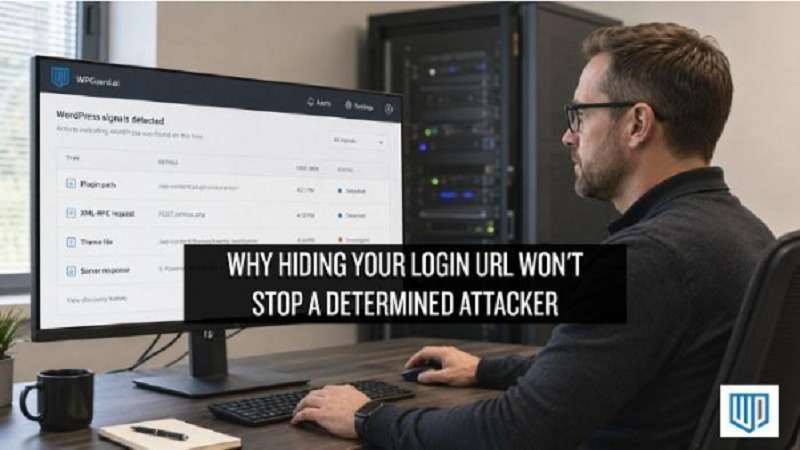
Hiding your login URL doesn’t stop a determined attacker because it doesn’t hide the most important thing: the fact that your site runs WordPress. Attackers don’t need your login page to figure that out. Your site exposes plenty of signals through its file structure, script paths, and page code.
And yet, many site owners still believe hiding the login URL makes their site harder to attack. It’s become one of the more persistent WordPress security myths. At WP Guard, we work with WordPress sites every day, and we see how easily this tactic can be mistaken for meaningful protection.
That’s exactly what this article addresses. It explains why the tactic falls short and how attackers find their way in without relying on your login page. By the end, you’ll know what actually makes a WordPress site harder to attack.
Hiding One URL Doesn’t Hide Your WordPress Site
Changing your login URL is a bit like removing your house number while leaving the rest of the address unchanged. The entrance may be harder to spot, but the house is still easy to identify. A WordPress site works much the same way.
WordPress has recognizable file paths, directories and code patterns that scanners can check automatically. The wp-content folder, wp-admin directory, script paths and other site signals can reveal the platform without anyone visiting your login page.
So changing the login URL only hides one small part of the picture. It doesn’t stop an attacker from identifying your WordPress installation or scanning it for other weaknesses.
Attackers Use More Than One Way to Find Your Site
Hiding the login URL assumes attackers start their search at the login page. But as we’ve seen, they can identify a WordPress site through automated scanning, then look for weaknesses elsewhere in the installation.
Here’s how both of those work.
Automated Scanners Look for WordPress Signals
Automated scanners are one of the simplest ways attackers identify WordPress sites. Instead of browsing your site like a visitor, they send automated requests that look for familiar WordPress files, folders, and code patterns.
When those patterns match, the scanner flags your site as a WordPress installation and moves on to looking for weaknesses.
Attackers Don’t Have to Find Your Login Page First
Most site owners assume attackers need the login page to get in. In reality, they’re often already probing other parts of your site through a completely different path.
XML-RPC is a good example. It’s a built-in WordPress feature that lets external applications communicate with your site at the server level. Attackers can use it to run brute force attacks against your wp-admin without ever touching your login URL.
And because it operates separately from your login page, hiding that URL does nothing to close it off.
Stolen Credentials and Brute Force Attacks Make the Login URL Irrelevant
Even if an attacker can’t find your login page immediately, that doesn’t help much if they already have your username and password. And one common way that happens is through data breaches on other websites.
When a breach exposes usernames and passwords, attackers can collect those credentials and try them on other sites. This is known as credential stuffing. It works because many people reuse weak passwords or the same password across multiple accounts.
But stolen credentials aren’t the only way in. Attackers also use brute force, which is a method where bots cycle through large numbers of username and password combinations until one works. They can target a known login endpoint without needing to discover it first.
In both cases, the location of your login page is irrelevant. What counts is whether your credentials are strong enough to withstand the attempt. Strong, unique passwords across all accounts are the simplest defence because they remove the one thing both methods depend on: a working password.
Plugins and Themes Can Bypass the Login Completely
Attackers don’t always need your login credentials to get into your site. Unpatched plugin vulnerabilities can give them a way in on their own. They can upload malicious files, run unauthorized code, or use your site to send spam without ever touching your login page.
In fact, an IEEE study on WordPress plugin security found that 92% of vulnerabilities in WordPress sites came from third-party plugins. And when we look at compromised sites, outdated plugins are one of the most common entry points we find. That means a large share of your site’s attack surface, including access to sensitive data, has nothing to do with your login page.
That’s why you should keep your plugins updated and remove any you no longer use. It reduces the number of ways an attacker can get into your site without ever reaching the login page.
What Hiding Your Login URL Actually Does
Hiding your login URL does one thing well: it reduces automated bot traffic on your default login path. That means bots looking specifically for wp-login.php won’t find it, which can cut down on some background noise.
But it doesn’t stop brute-force or credential-stuffing attacks, protect against weak or reused passwords, or replace two-factor authentication. It also does nothing for vulnerabilities in plugins and themes, server-level security, file permissions, or outdated software.
In other words, changing the login URL can reduce some unwanted traffic, but it isn’t a substitute for login protection or broader WordPress hardening.
Security Starts Where Obscurity Ends
Hiding your login URL was never built to stop a determined attacker, and now you know why. Real protection comes from patched plugins, strong, unique passwords, two-factor authentication, and monitoring that catches unusual activity before it becomes a breach.
Start with the plugins you’re already running. Check which ones haven’t been updated recently, remove anything you no longer use, and put the other security measures into practice one at a time. That’s what makes a WordPress site harder to compromise.
Wondering where your site stands? WP Guard can help you identify the gaps in your WordPress security and put the right protections in place. Get in touch with us today.